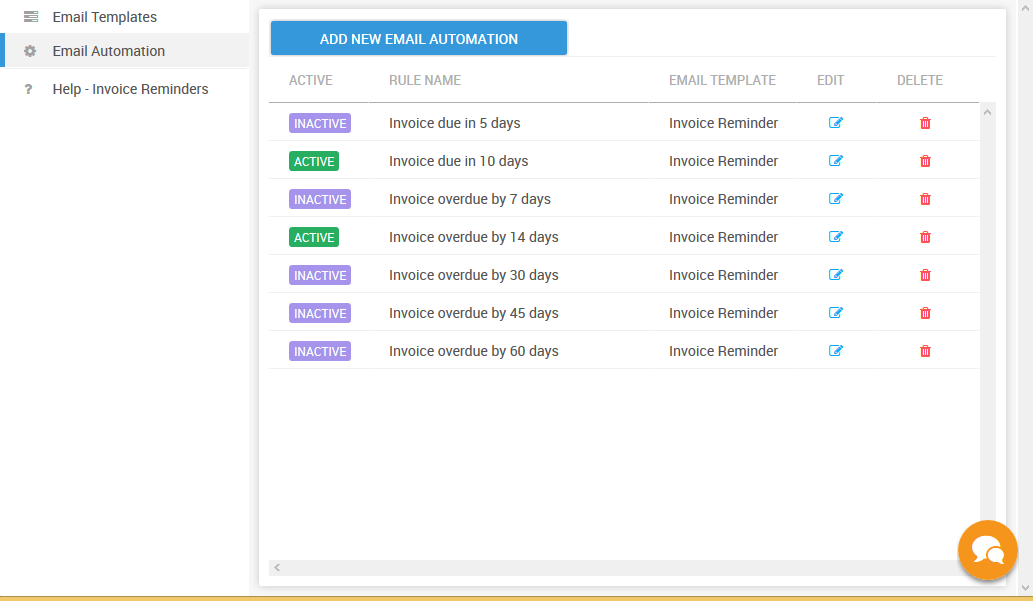
Use the default Email Automation ( one click setup )
When you create an account on PayorCRM . The app creates a set of email automation which can be activated by just one click
To activate them
- Click on "Invoice reminders" in the menu on the left and select "Email Automation"
- Click on the "Active" / "Inactive" toggle button to activate
- Voila ! PayorCRM will send email reminders automatically to all your customers based on Invoice due /overdue days